Build digital skills. Share what works.
skillNest connects learners, educators and FabLabs through practical workshops, RE/UP programmes and shared experience across Europe.
How do you want to use skillNest?
For learners, students, employees and makers
I want to learn and create
Find hands-on workshops, develop practical digital manufacturing skills and connect with labs and experts.
- Discover workshops and RE/UP programmes
- Find a FabLab near you
- Learn skills you can use in real projects
For FabLabs, educators and training teams
I teach or work in a lab
Explore how other organisations design practical training, discover programme formats and connect with experts across the network.
- Explore RE/UP programme approaches
- Discover labs and their expertise
- Find educators and industrial experts
- Share your own experience
Representing a company or institution?
Identify a skills gap, propose an industry challenge or collaborate on a training programme.
Recommended for you
Current opportunities across the skillNest network.
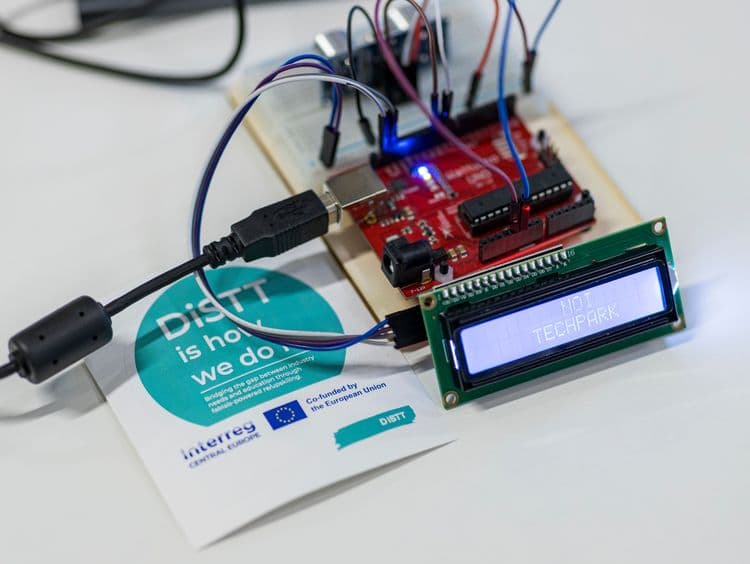
Microcontrollers turn a passive object into one that senses, decides and reacts. This one-day course builds the foundation needed for that: electrical quantities and Ohm's law, reading and building simple circuits, the Arduino board and its programming environment, and the interplay of sensors, code and actuators. It is designed for people with no previous experience in electronics or programming. The first part of the day works from theory to the first working circuit. After a short introduction to the platform, participants cover voltage, current, resistance and power, then identify the components in their kit and their schematic symbols. They build an LED circuit with a series resistor on the breadboard by hand, size the resistor themselves, and extend the circuit with push buttons in series and in parallel to see logical AND and OR behaviour physically before it appears in code. The second part moves to the board. Participants install the development environment, upload a first sketch, and work through digital output, digital input with pull-up resistors, analogue input, PWM, servo control, and light and distance sensing. Libraries are introduced through real components — a temperature and humidity sensor, an addressable LED strip and an I2C display. Every topic has a base exercise and an optional harder variant, so beginners and faster participants progress at their own pace. The day closes with an open block in which each participant designs and builds a small device of their own from the kit. All hardware is provided.
Target: General
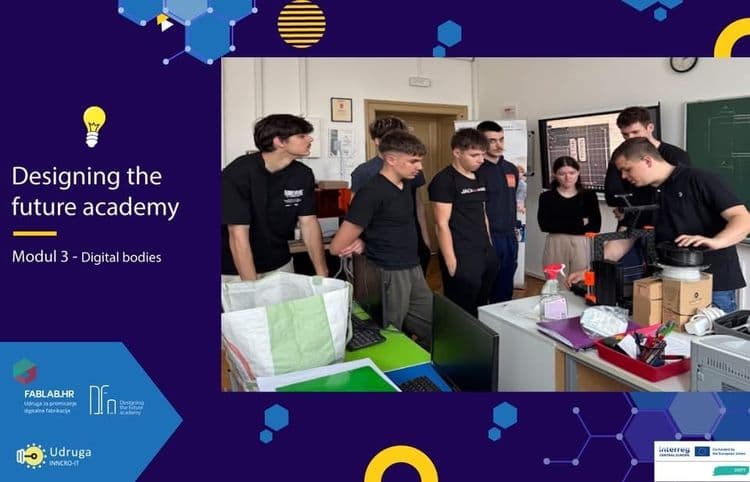
This module introduces students to 3D bodies, 3D technologies, and the basic process of turning an idea into a digital and physical 3D model. Through presentation, demonstration and hands-on work, students learn the difference between 2D and 3D representation, the main groups of 3D technologies (additive, subtractive, forming, digitising), modelling in Onshape, 3D printing and the 3D pen. The same shape is built both by hand (3D pen) and digitally (CAD model, slicing, 3D printer) — so students understand why the digital step exists in the first place.
Target: Unprivileged
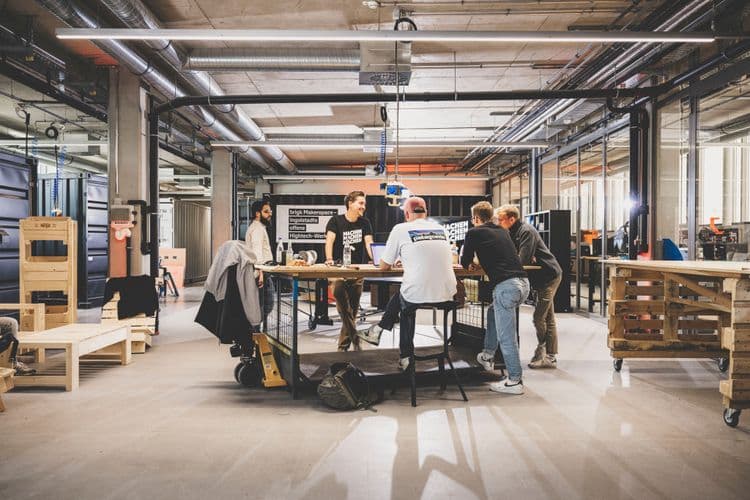
The Hackathon Follow-up Series is designed for winning teams of the Region 10 Hackathon who want to further develop their ideas beyond the competition. Over a minimum of three workshop days, participants receive structured support throughout the product development process. The focus is on transforming an initial concept into a functional prototype or market-ready solution while applying innovation methods and agile project management practices. Working closely with experts, participants refine their ideas using Design Thinking, Lean Startup principles, and Rapid Prototyping techniques. They validate user needs, build and improve prototypes, receive continuous feedback, and define concrete next steps for implementation. The exact agenda is adapted to each team's project status and development goals. Typical workshop structure: Day 1 – Analysis & Concept Development • Review of the existing concept • Identification of target users and customer needs • Refinement of the problem statement and solution • Definition of development objectives Day 2 – Prototyping & Product Development • Development of prototypes or proof-of-concept models • Testing and collecting feedback • Iterative improvement of the solution • Use of makerspace technologies where appropriate Day 3 – Implementation & Pitch Preparation • Development of an implementation roadmap • Definition of milestones and next steps • Introduction to agile project management • Preparation of the final project presentation
Target: University students
How skillNest connects the ecosystem
From an identified skills gap to a practical outcome — every workshop on skillNest traces back to a real need.
Need
Companies and labour-market stakeholders identify a concrete skills gap.
Programme
Partners design a RE/UP programme package to address it.
Workshop
The programme is delivered as hands-on workshops in a FabLab.
Practical skills
Participants leave with skills they can apply immediately.
About DiSTT
skillNest is built as part of DiSTT, an Interreg Central Europe project developing shared digital upskilling and reskilling programmes across five countries. Six partner FabLabs designed and piloted the RE/UP programmes you can explore here.
Stay Connected
Help us shape the future of skillNest by sharing your thoughts and stay updated with our latest news.
Join Our Newsletter
Get the latest updates about workshops, programs, and opportunities in digital fabrication delivered to your inbox.
Subscribe NowShare Your Feedback
Your insights help us improve and develop features that matter most to our community.
Give Feedback